
WPS software: create welding procedure specifications from your PQR
Write a WPS in minutes, not in an afternoon.
weldXpert turns the data you already have — qualified procedures, materials, filler metals — into clean, standard-compliant WPS documents. Choose ISO, ASME IX or AWS D1.1, enter your values and let the software handle the calculations and the paperwork.
Why writing a WPS takes so long
A welding procedure specification looks like a two-page form, but behind every field is a decision. Which qualified procedure covers this joint? What thickness and diameter range does it allow? Which filler metal and shielding gas belong to this base material? What is the heat input at these parameters, and does the Charpy test temperature have to be reduced?
In most welding departments these answers live in different places: PQRs in binders or PDF folders, standards on a shelf, calculations in a spreadsheet and the WPS itself in a Word template that was copied from the last project. Every new WPS means searching, retyping and checking — and every copy is another chance for an outdated value to slip into production.
Audits make it worse. When a client or notified body asks which PQR supports a WPS, who approved it and which revision was used on a project, the answer often depends on one person remembering where the file is.
How weldXpert builds a WPS
weldXpert follows the order a welding engineer already works in. Each step uses the data from the step before, so values are entered once and reused.
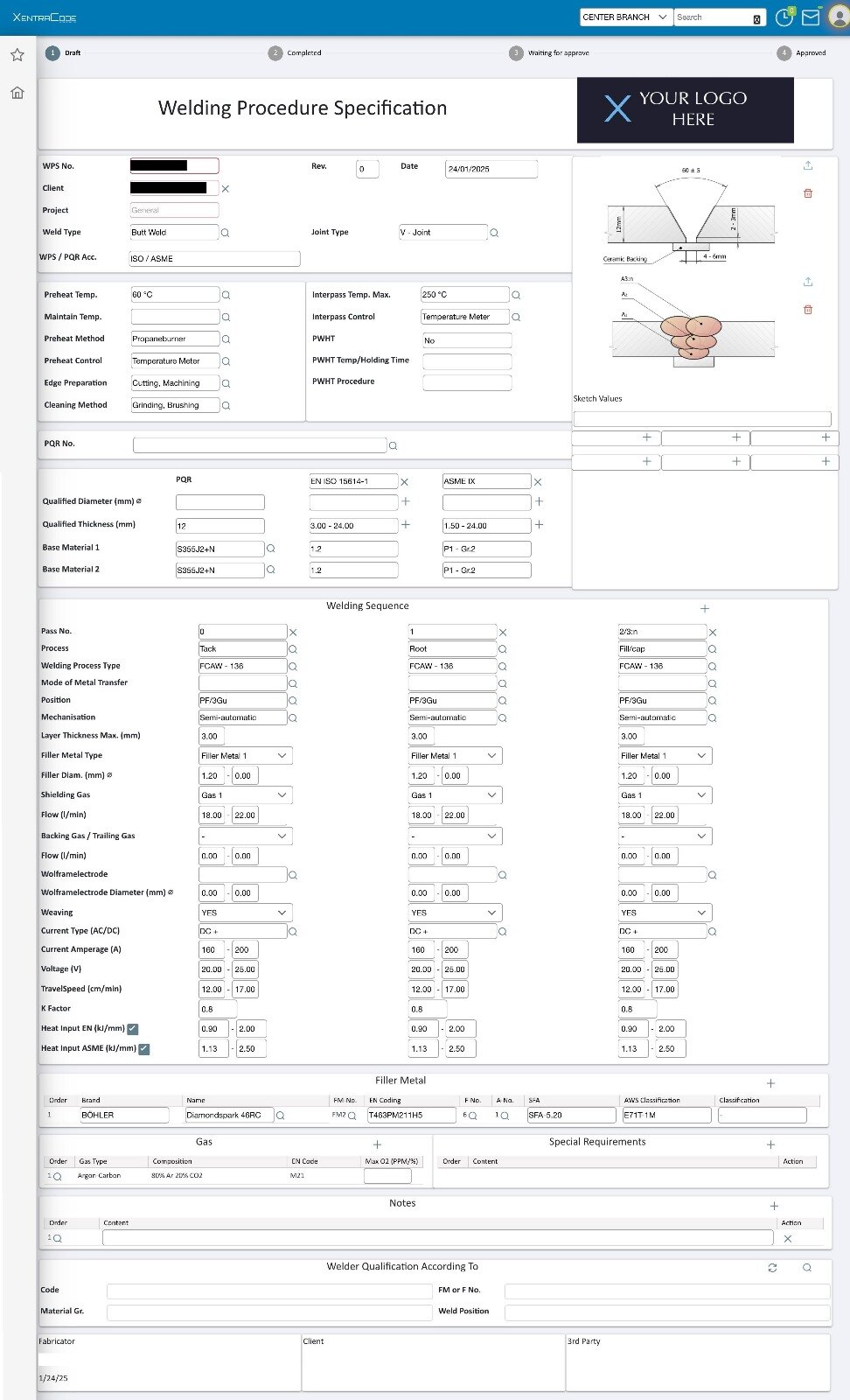
- Choose the standard. ISO, ASME IX and AWS D1.1 are selectable, so the form shows the fields that standard expects.
- Pick the qualified procedure. Filter your PQRs by material, thickness or values and select the one that supports the new WPS.
- Let the PQR fill the WPS. weldXpert transfers the PQR data into the WPS, so you only complete and adjust what is specific to the job.
- Use the master data. Materials, welding processes, filler metals and gases come from built-in lists instead of free text.
- Let the software calculate. Heat input is calculated automatically, and so is the Charpy impact test temperature reduction according to ASME B31.3.
- Approve and publish. Approvals are recorded in the WPS history, and the finished document is produced as a PDF with your own logo — as many as you need.
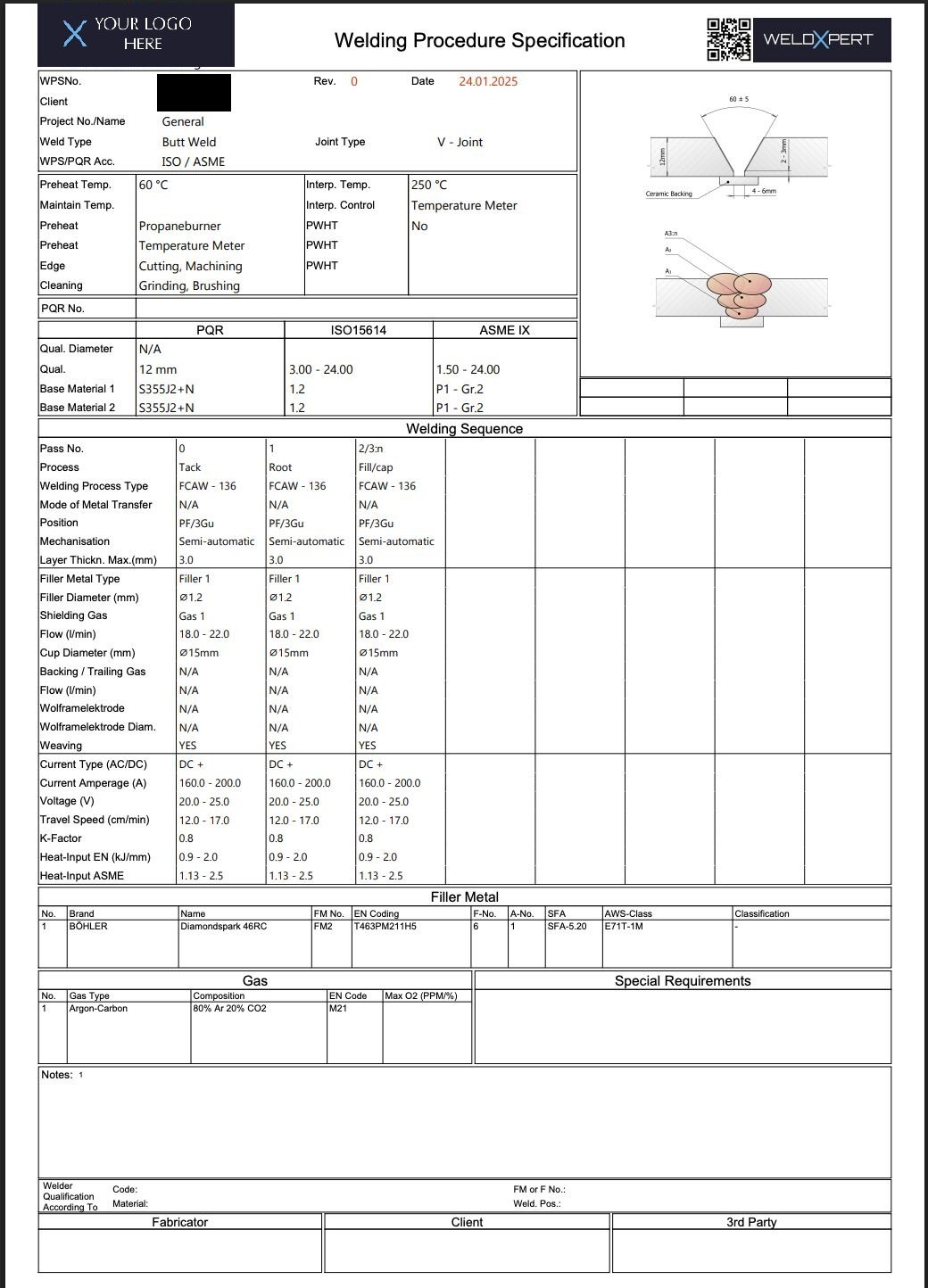
Every WPS in its project, with its history
A WPS is never on its own: it belongs to a client, a project and the welders who are qualified to use it. In weldXpert you define clients and projects once and file every WPS under them. The approval history stays with the document, so you can show at any time who approved which version and when.
Colleagues who only need to find a document — in production, quality or purchasing — use the doc viewer: a tree of clients, projects and welders where every WPS, PQR and certificate is one click away, with read-only access.
Already have a library of WPSs? You can create your existing WPSs in weldXpert so they are tracked together with the new ones. During onboarding our team imports your existing data for you.
Standards and calculations built in
- Selectable standards: ISO, ASME IX, AWS D1.1
- Automatic heat input calculation
- Charpy impact test temperature reduction acc. ASME B31.3
- Master data for materials, processes, filler metals and gases
- Projects and clients with full approval history
- Unlimited WPS PDFs with your own logo
The standards stay the responsibility of your welding coordinator — weldXpert makes sure the right fields, values and calculations are in front of them, instead of a blank template.
From WPS to qualified welder
A WPS only works on the shop floor when the welders using it are qualified for it. weldXpert links the WPS to your welder qualifications (WPQ) and shows instantly which welders fit a WPS — and warns you before their certificates expire.
Questions about WPS software.
Which standards does the WPS module support?
ISO, ASME IX and AWS D1.1 are selectable for every WPS. Heat input and the Charpy impact test temperature reduction according to ASME B31.3 are calculated automatically.
Can weldXpert fill a WPS from an existing PQR?
Yes. You select the PQR that supports the new WPS, and weldXpert transfers its data into the WPS. You then complete the job-specific values and approve the document.
Can we bring the WPSs we already have?
Yes. Existing WPSs can be created in weldXpert so they are managed together with new ones, and our support team imports your existing data during onboarding.
Do the WPS PDFs carry our company logo?
Yes. WPS documents are produced as PDFs with your own logo, and there is no limit on the number of PDFs.
Do we need to install anything?
No. weldXpert runs in the cloud, in an ISO 27001 certified data centre in the European Union. You work in the browser, and updates are included in the subscription.
See it with your own documents.
Book a free introduction meeting — we show you weldXpert with examples from your welding department.